
SynthAteBit Retro Music Maker
Describe a song, get a song. SynthAteBit writes complete 8-bit tracks from a sentence, on an authentic emulation of vintage console sound hardware — then hands you the tools to make it yours.
- Free
- Android
- Music
- Rated Everyone
Screenshots
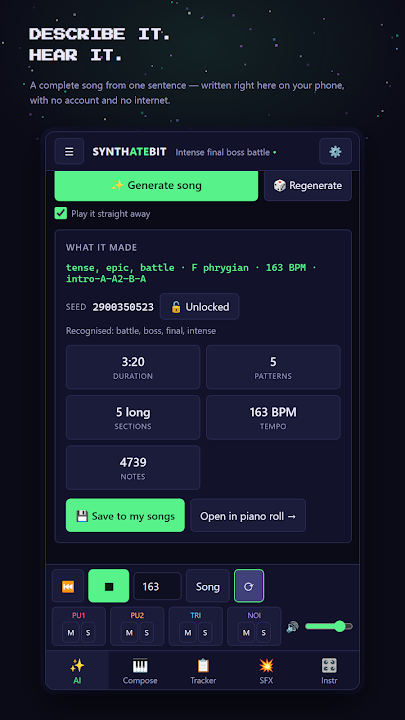
Describe a song, get a song
Type "upbeat heroic overworld theme" or "angry metal boss fight in D minor" and SynthAteBit's composer writes a complete, multi-section song across all four channels. It reads the mood, setting, tempo and key straight out of your words.
Every song can be reproduced from its seed. Lock the seed to explore variations on one idea, or reroll for something new. It all runs on your device — no account, no sign-in, no internet. It even works in airplane mode.
A real 8-bit sound chip in your pocket
This isn't a set of oscillators pretending to be a chip. SynthAteBit emulates vintage console sound hardware itself: two pulse channels driven by an 11-bit integer timer, a triangle channel using the hardware's 32-step sequence, and a noise channel built on a 15-bit LFSR, combined with the chip's own non-linear mixing. High notes drift very slightly out of tune — exactly as they do on the real thing.
Then make it yours
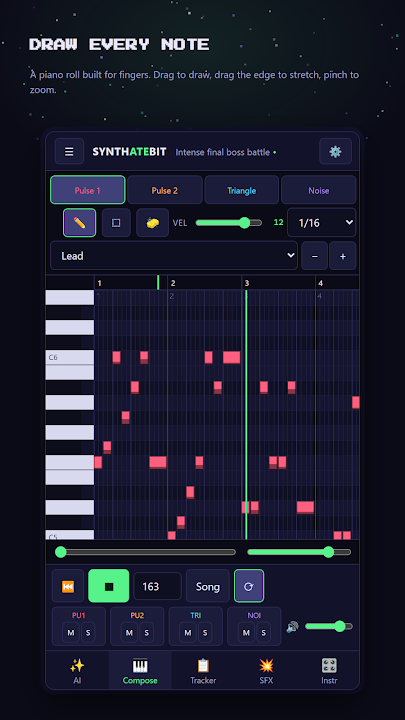
- Piano roll — draw, drag and resize notes with your finger. The other three channels show behind the one you're editing, so parts line up. Pinch to zoom.
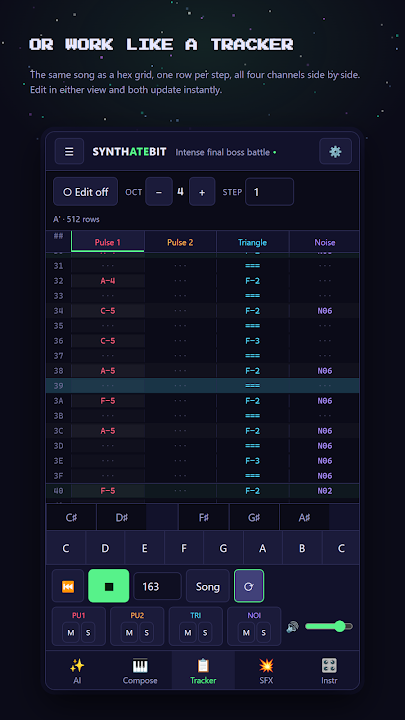
- Tracker — the same song as a classic hex grid. Edit in either view and both update instantly.
- Instruments — volume envelopes with sustain loops, arpeggios, vibrato, pitch envelopes and all four hardware duty cycles.
- Sound effects — jump, coin, laser, explosion, power-up, hurt and blip presets, a Mutate button, and instant playback on every change.
Play it in
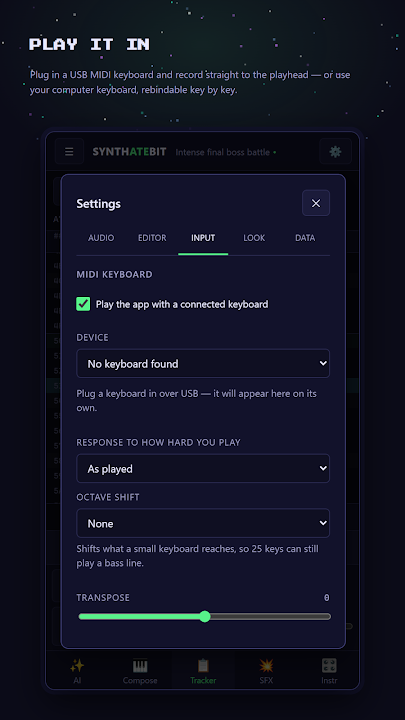
Plug in a USB MIDI keyboard and play parts straight into the tracker, or record live against the playhead, with velocity curves, octave shift and transpose. Your computer keyboard works as a piano too, and every key can be rebound.
Export for your game
Render to WAV, MP3 or OGG through the same emulator that plays the song live, choosing which channels to include and how many times it loops. Or save the project file to keep working later. Everything is written to your device and shared through the normal Android share sheet.
Try it in your browser
The full app also runs right here on this site, with the same engine and nothing to install: open SynthAteBit in your browser.
Songs autosave as you go and live on your device. No cloud, no account and no analytics — the app collects nothing and sends nothing anywhere. Back up your whole library to a single file whenever you like. Free, with no ads, no in-app purchases and no subscription.
Frequently asked questions
Does SynthAteBit need an internet connection?
No. The composer and the sound engine run entirely on your device, so it works in airplane mode. There is no account and nothing is sent anywhere.
How does it write a song from a text prompt?
The composer reads the mood, setting, tempo and key from your words and writes a complete multi-section song across the four channels. Every song comes from a seed, so you can lock it to explore variations or reroll for something new.
What does "authentic sound-chip emulation" mean?
SynthAteBit emulates the vintage console sound hardware itself — two pulse channels on an 11-bit timer, a 32-step triangle, a 15-bit LFSR noise channel and the chip's non-linear mixing — rather than imitating it with ordinary synth oscillators.
Can I export music for my game?
Yes. Export to WAV, MP3 or OGG, choose which channels to include and how many times the song loops, or save the project to keep editing later.
Does it work with a MIDI keyboard?
Yes. Plug in a USB MIDI keyboard to play parts into the tracker or record live. A computer keyboard works too, with rebindable keys.
Can I use SynthAteBit without installing anything?
Yes. The full app runs in your browser at lunchboxclassx.com/synthatebit/, with the same engine as the Android version.
Is SynthAteBit free?
Yes. Free, with no ads, no in-app purchases and no subscription.
Other apps you might like.


Want an app like this — but yours?
We build for clients too: mobile apps, private APIs, dashboards, automation, machine learning. Bring the idea, we'll handle the build.