Did I Lock It
Did I lock the front door? Did I lock the car? Mark it in one tap and the app remembers — with a timestamp — so you never have to turn around and check.
- Free
- Android
- Productivity
- Rated Everyone
Screenshots
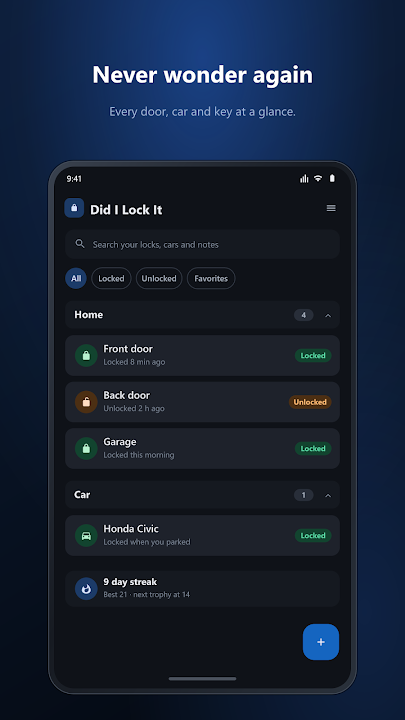
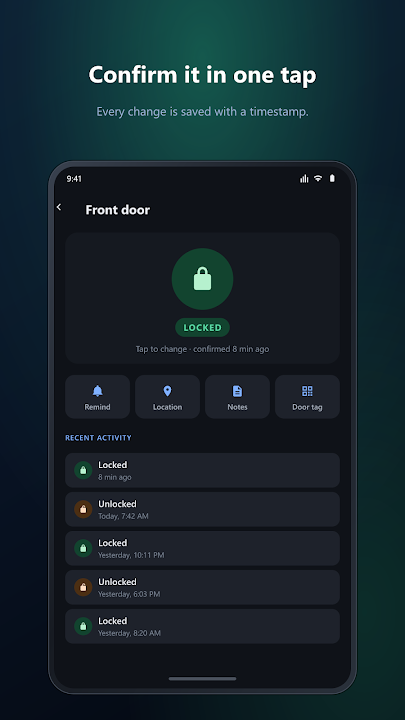
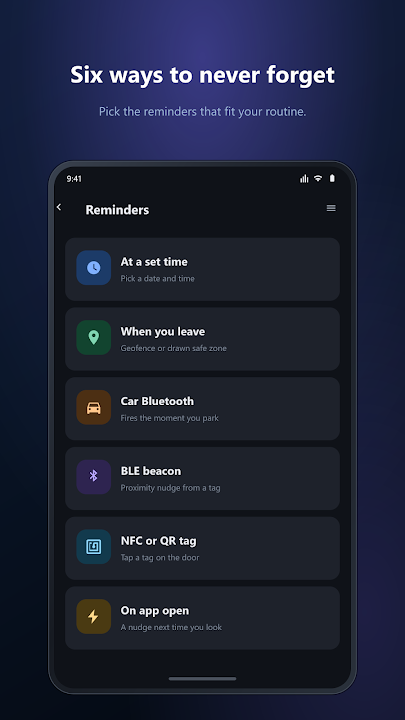
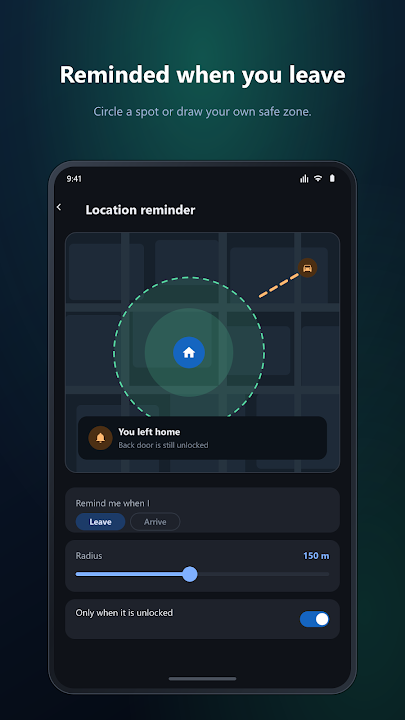
A certain answer, in one tap
That flash of doubt ten minutes down the road is the whole reason this app exists. Did I Lock It lets you mark anything locked or unlocked with a single tap, and records exactly when you did it. When the doubt shows up later, you open the app and the answer is there — no guessing, no turning the car around.
Track anything you lock
- Doors, cars, gates, sheds, lockers, luggage — add as many items as you like.
- Group them into categories such as Home, Car and Office.
- Star the ones you check most so they are always at the top.
- A full history for every item, showing exactly when it changed.
Six ways to be reminded
- Scheduled — pick a date and a time.
- Location — get a nudge when you leave home or work, using a radius or a safe zone you draw yourself.
- Car Bluetooth Assist — the moment your phone disconnects from the car, the app asks whether you locked it. Completely hands-free.
- Bluetooth beacons — proximity reminders from a small BLE tag.
- NFC and QR door tags — stick a tag by the door and tap your phone on it on the way out.
- On app open — a reminder the next time you pick up your phone.
Seven home-screen widgets
Check and change things without opening the app. The Security Overview widget tells you whether everything is locked and has a one-tap Lock All. Favourites and category widgets let you tap any row to flip it, Lock Control handles a single item, and there are Quick Actions, Next Reminder and Streak widgets too.
More than locks
- Rich notes with photos, drawings, voice memos and checklists.
- Parking-spot photos for your car.
- Google Assistant shortcuts.
- Backup and restore.
Build the habit
Confirm your locks each day to build a streak, earn trophies at milestones, and spend a grace day when life gets busy. Light, dark, system and vibrant themes with your own accent colour, adjustable text size, colour-blind friendly palettes, and an optional fingerprint or PIN lock on the app itself.
Everything stays on your device. Location is only used when you switch on a location reminder, and it never leaves your phone.
Frequently asked questions
How does the car Bluetooth reminder work?
When your phone disconnects from your car's Bluetooth — which happens when you park and turn the car off — Did I Lock It asks whether you locked the car. You don't have to open the app or remember to check.
Does Did I Lock It track my location?
Only if you turn on a location reminder. Location is used on your phone to notice when you leave a place, and it never leaves your device.
Can I use NFC tags or QR codes?
Yes. Put an NFC tag or a QR code by the door and tap or scan it on your way out to mark that door locked.
What can I track besides doors?
Anything that locks: cars, garages, gates, sheds, lockers, bikes, luggage. You can group items into categories and star your favourites.
Can I lock the app itself?
Yes, with an optional fingerprint or PIN.
Is Did I Lock It free?
Yes, it is free to download on Google Play.
Other apps you might like.

Want an app like this — but yours?
We build for clients too: mobile apps, private APIs, dashboards, automation, machine learning. Bring the idea, we'll handle the build.